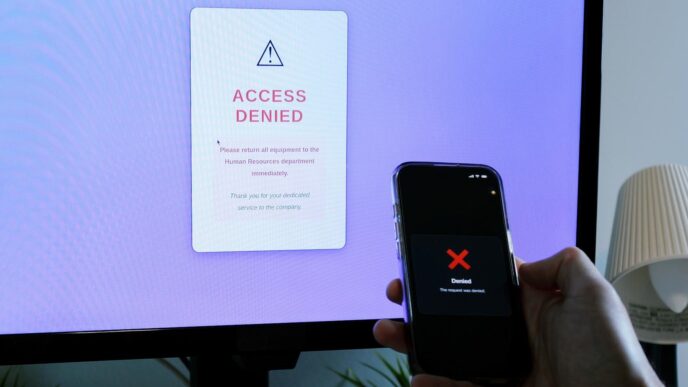

NIST and OWASP both promote strong protection standards. Yet in practice, many security controls that break UX create more risk than they prevent. Companies often deploy strict safeguards without testing how real users behave. As a result, users feel blocked, confused, or frustrated. Over time, they bypass rules, reuse weak passwords, or abandon the product entirely.
Security controls that break UX usually stem from good intentions. Teams want to prevent breaches, fraud, and compliance violations. However, when security ignores human behavior, it fails. Modern security must protect systems while supporting smooth interaction. If users cannot complete tasks easily, they will find workarounds. That reality makes security controls that break UX a serious business problem.
First, overly complex password policies remain one of the most common offenders. Many systems still require special characters, forced rotations, and long strings that users cannot remember. Consequently, users write passwords down or reuse them across services. This practice increases vulnerability instead of reducing it.
Research from Microsoft has shown that forced password expiration does not meaningfully improve security. Instead, it pushes predictable changes like adding numbers at the end. Therefore, rigid password rules often represent classic security controls that break UX.
Next, aggressive multi factor authentication can create friction when implemented poorly. Strong authentication is critical. However, constant SMS codes, timeouts, and repeated prompts slow users down. When users must verify identity every few minutes, productivity drops. Moreover, SMS based authentication introduces SIM swap risks. Modern best practice encourages adaptive authentication instead. Systems should evaluate device trust, location, and behavior before triggering challenges. When MFA appears only when risk increases, security improves without damaging experience.
Similarly, CAPTCHA overuse creates frustration at scale. While CAPTCHA blocks bots, it often punishes legitimate users. Difficult image grids or distorted text tests interrupt flow. Users with visual impairments struggle even more. In e commerce or sign up funnels, CAPTCHA can reduce conversion rates significantly. Invisible bot detection and behavioral analysis now offer smarter alternatives. These tools quietly assess traffic patterns without adding visible friction. Therefore, replacing outdated CAPTCHA systems reduces both abandonment and support costs.
Another major issue involves session timeouts set too aggressively. Security teams often shorten session lifetimes to reduce hijacking risk. However, frequent logouts interrupt workflow. Imagine completing a long form only to lose progress after inactivity. Users feel punished for normal behavior. As a result, they may disable security features if given the option. Instead, idle detection combined with silent background token refresh can balance safety and usability. Clear warnings before session expiration also preserve trust.
Moreover, excessive permission prompts damage user confidence. Many applications ask for full access at once. For example, a mobile app might request camera, contacts, and location before explaining value. Users hesitate or decline access entirely. Progressive permission models work better. Requesting access only when needed builds transparency. Users understand why data is required. Consequently, trust increases while abandonment drops.
Strict account lockout policies present another example of security controls that break UX. Locking users out after a few failed attempts protects against brute force attacks. Yet attackers can exploit this feature to deny service to legitimate users. Meanwhile, customers who forget passwords face frustrating delays. Risk based throttling and step up verification provide safer alternatives. These methods slow attackers without completely blocking real users.
Furthermore, poorly designed encryption warnings confuse users rather than protect them. Browser certificate warnings or vague error messages create panic. Users often click through without understanding risk. Therefore, warning design matters. Clear language and contextual guidance reduce blind dismissal. Security messaging must educate, not intimidate.
Zero trust frameworks, promoted by Google and other large enterprises, offer strong architectural protection. However, zero trust fatigue is real. If every internal action requires re authentication, employees lose momentum. Productivity tools become obstacles. Smart zero trust implementation relies on continuous authentication signals rather than constant manual checks. Device health and behavioral patterns can validate trust silently.
Additionally, security software that slows system performance damages user satisfaction. Heavy endpoint agents can reduce battery life and processing speed. When devices lag, users blame the product. Eventually, they disable protections. Lightweight, cloud assisted security tools now provide stronger detection without overwhelming hardware. Performance optimization must remain part of security design.
Compliance driven popups also rank among security controls that break UX. Endless cookie banners and privacy notices overwhelm visitors. While regulations require transparency, repetitive prompts create banner blindness. Users click accept without reading. Smart consent management reduces repetition by remembering choices and simplifying language. Compliance should empower users, not exhaust them.
Another overlooked factor involves poor error handling in authentication flows. Generic messages like invalid request provide no guidance. Users retry repeatedly and escalate frustration. Clear, actionable feedback reduces support tickets. Moreover, it prevents users from assuming the system is broken.
Security training mechanisms can also break UX when forced inside products. Mandatory quizzes or intrusive reminders interrupt workflows. Instead, contextual micro learning integrated subtly into interfaces works better. When education aligns with action, retention improves.
Importantly, security controls that break UX do more than irritate users. They directly affect revenue. In subscription models, friction increases churn. In marketplaces, friction reduces checkout completion. In enterprise SaaS, friction reduces adoption. Security must support business goals, not conflict with them.
So how should companies respond. First, security and product teams must collaborate early. Security cannot act as a final gatekeeper. Instead, it should shape design decisions from the start. Threat modeling should consider user behavior as a core variable. If a safeguard encourages risky workarounds, it fails by definition.
Second, organizations should measure security friction. Track login failure rates, password reset frequency, and MFA abandonment. Analyze support tickets tied to authentication. These metrics reveal where security controls that break UX hurt performance. Data driven iteration improves both safety and experience.
Third, adopt risk based security models. Not all actions carry equal risk. Viewing public content differs from transferring funds. Adaptive systems apply stronger controls only when necessary. This approach reduces unnecessary friction while maintaining strong defense.
Fourth, prioritize user centered design in security messaging. Simple language builds clarity. Transparent explanations increase compliance. When users understand why a measure exists, they cooperate more willingly.
Finally, embrace modern standards. Passwordless authentication using hardware keys or biometrics reduces reliance on memory. Behavioral analytics detect anomalies silently. Device trust frameworks streamline verification. These innovations prove that security and UX do not need to compete.
Security controls that break UX represent a legacy mindset. In the past, organizations valued strict enforcement over usability. Today, digital competition changes that equation. Users expect seamless experiences. If friction becomes excessive, they leave. Therefore, the strongest security strategy is one users barely notice.
In conclusion, security controls that break UX weaken both protection and growth. Overly rigid policies create workarounds. Excessive prompts reduce trust. Poor messaging increases confusion. However, adaptive authentication, progressive permissions, intelligent monitoring, and user centered design offer better paths forward. When security feels invisible yet effective, it achieves its true purpose. Protection should empower users, not punish them. Companies that align security with experience will build safer systems and stronger loyalty.